
Wedding websites, built for you
Your whole wedding on one link,
and we build it for you
Built for Malaysian couples: a digital wedding invitation with RSVP, the countdown and the venue map, all on one link you send to every guest. Replies land in your own guest list, ready for seating. We write it in English, Bahasa Melayu or Chinese. You answer a few questions and we do the building, with no editor to learn.


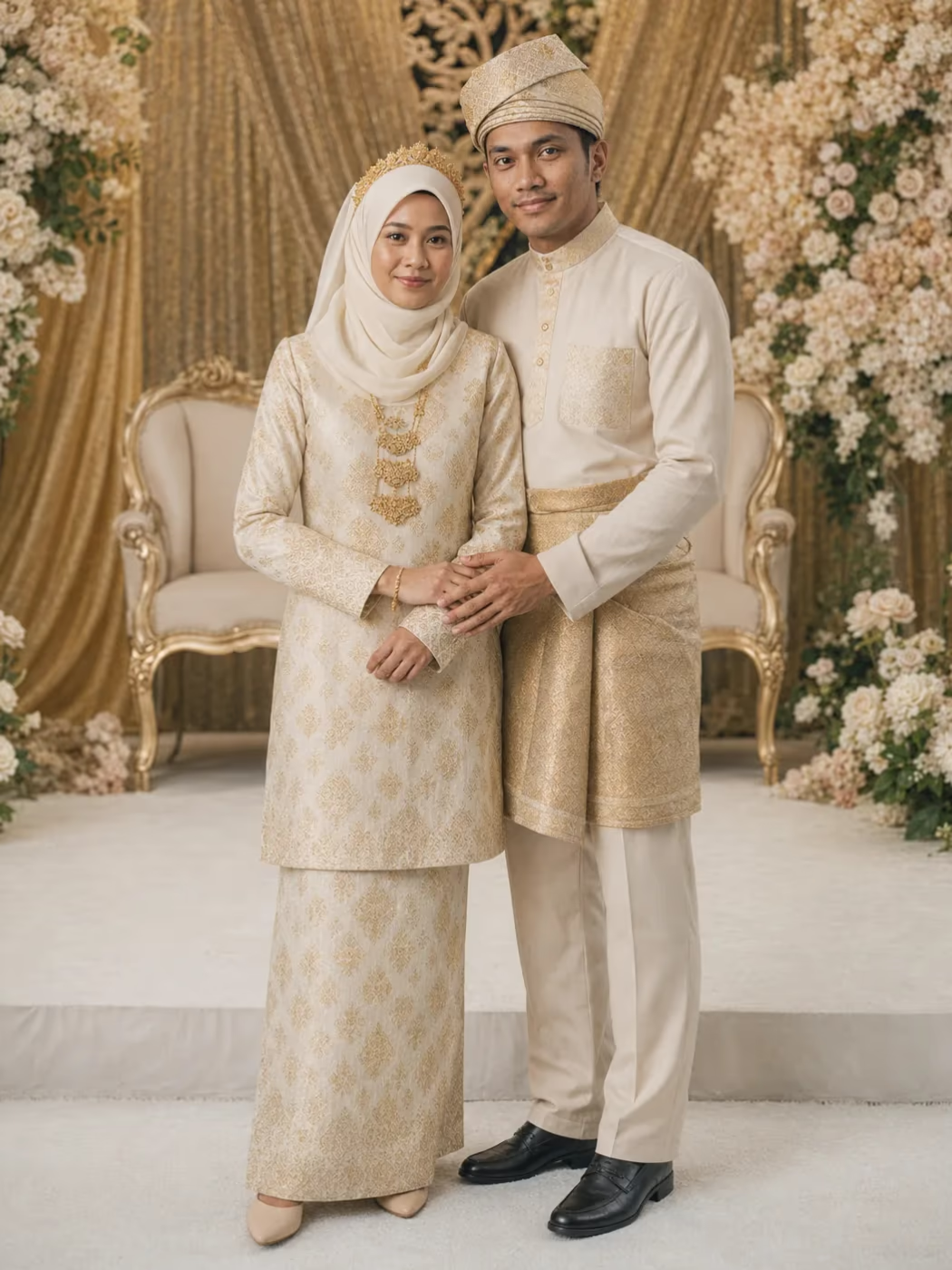
Sample sites shown. The couples pictured are invented and their photos are AI-generated.
Five looks
Pick a starting point, then we make it yours
These are sample sites, not client weddings. The couples are invented and their photos are AI-generated, so no real wedding is on display here. Open any of them and click around.


What you get
What the site does for you, and for your guests
A PDF invite dies in a group chat. This one keeps working from the day you send it until the morning after the wedding.
What guests open
A whole wedding site, not a single card
- Countdown
- Venue map
- Photo gallery
- RSVP form
- EN, BM or 中文
An opening cover, your story, a countdown, the event details with a map, a photo gallery and background music if you want it. We write the site in English, Bahasa Melayu or Chinese, whichever suits your family.
RSVP and guest list
An RSVP that gets you the real headcount
- Coming or not
- How many pax
- Which side
- Vegetarian count
- Baby chairs
- Your own questions
Guests reply with their name, phone number and how many are coming, up to a limit you set, and you can add up to 10 questions of your own. Replies collect in one guest list that adds up the pax, and it downloads as a CSV for the caterer.
On the day
Seating sorted, and QR check-in at the door
- Seating planner
- Find your seat
- Add-on: guest cards
- Add-on: QR check-in
Drag guests onto tables, then share a view-only seating chart where guests search for their name. The Invitation Card add-on gives every guest their own card with their table, in a design like Songket or Red & Gold. At the door, your helpers scan guests' QR codes on their phones and can add walk-ins.
Photo album add-on
The album fills up while the night is still going
- Photos and videos
- 1 GB of space
- Table QR code
- Full-size download
Part of the Invitation Card add-on. Guests add photos and short videos from their own card, or by scanning a QR code you print for the tables, from the wedding day until a week after. Every upload is checked automatically before it shows, you can hide or delete any of them, and you can download them at full size. It starts with 1 GB of space, and we can add more.
How it works
From a first message to a finished site
- 1
We interview you
A WhatsApp chat about your date, your venue, how you met and how you want the day to feel. That is the whole brief.
- 2
We build it, you tell us what to fix
The site is AI-generated, and we check and edit it by hand before you ever see it. After that you change things by telling us in plain words, like make it pink or add our proposal story.
- 3
You send one link
Drop it into the family group chats. Guests open the invitation, check the map and RSVP from that one link.
After the wedding, the site stays
We keep it live and we host it for free, as a keepsake. Your photos and your story stay exactly where you shared them, at the same link.
Questions couples ask us
Is this a kad kahwin digital or wedding e-invite with RSVP?
Yes. It's a digital wedding invitation and RSVP website on one link. Guests open the invite, check the venue on the map and reply on the same page, and we build the whole thing for you.
How do we collect RSVPs without chasing guests on WhatsApp?
Send everyone the same link instead of asking one by one. Guests reply on the wedding site with their name, phone number and how many are coming, and every reply lands in one guest list you can search and filter.
How do we get the right headcount (pax) for the caterer?
Each reply says how many people are coming, and you set the most one reply can cover. The guest list adds up the pax who are coming, and you can download it as a CSV file for the caterer. You can also ask for a vegetarian count and baby chairs.
Can we manage the guest list and seating here?
Yes. We give you your own guest page with a link and password, where you add guests one by one or paste up to 200 at a time, then drag the ones who are coming onto tables. The guest list, seating, RSVP form and reminders all come with the site.
Can guests check in with a QR code on the wedding day?
Yes, with the Invitation Card add-on. Guests who are coming get a QR code on their own card, and your helpers scan it at the door in their phone browser, so nobody installs an app. Helpers can also find a guest by name or add a walk-in.
What does the Invitation Card add-on include?
Every guest gets their own card page with their name, their table, and the date, venue and schedule. You pick a design such as Songket, Red & Gold or Floral Garden, or upload your own artwork. It also brings QR check-in at the door and a shared photo album with 1 GB of space.
Can the site be in Bahasa Melayu or Chinese?
Yes. We write the site in English, Bahasa Melayu or Chinese, whichever you choose, so parents and older relatives can read it easily. Names and the venue stay as you write them, and the RSVP form shows in the same language as the site.
How long does it take to build?
A first version is usually ready within days of our chat. We then refine it with you until you are happy, well before your invites need to go out.
How much does a wedding website cost?
It depends on what your wedding needs, so we quote per wedding. Message us on WhatsApp with your date and we will get back to you with a price the same day.
Do we have to build it ourselves?
No. We build it for you. You answer questions, we do the work, and you get a finished site back. There is no editor to learn.
Do my guests need an app or an account?
No. Everything opens in the phone browser. Guests reply on the wedding site, and with the Invitation Card add-on they also get their own card link with their table, QR code and photo uploads.
Are the reminders sent on WhatsApp?
Email reminders go out on their own to guests who are coming and left an email, on the date and hour you pick, with add-to-calendar links. WhatsApp reminders come ready to send: each guest's message is already written, you tap send from your own number so relatives recognise who it's from, and the list ticks off who you've reminded. You can rewrite the wording of both.
Can guests upload photos from an iPhone?
Yes, with one setting to check. The album takes JPEG, PNG, WebP, GIF and AVIF photos and MP4 or MOV videos up to 60 seconds, but it turns away Apple's HEIC files, so ask iPhone guests to set Camera to Most Compatible. The photo album is part of the Invitation Card add-on.
Does the site expire after the wedding?
No. It stays live for good and we host it at no cost, as a keepsake with your photos and your story.
Is the site AI-generated?
Yes, and we check it by hand before you see it. AI drafts the site fast from your answers. We are the ones who read every line, fix what is wrong and stay accountable for the result.
Can we change things after it is live?
Yes. Message us what you want changed, in plain words, and we update it. Your link stays the same.
Getting married? Send us the date
Tell us when and where you are getting married, and we will reply with a price the same day.
WhatsApp for details