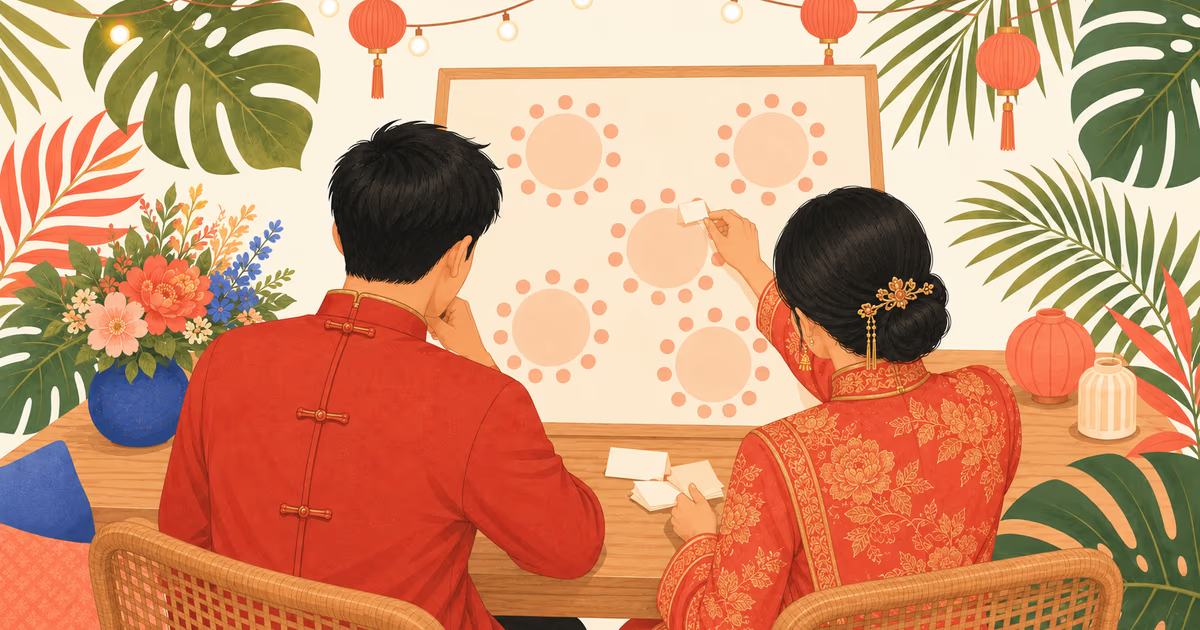
For a wedding dinner in Malaysia, a shared Google Sheet is enough to run the guest list. A seating tool only starts to pay off once you draw up the seating plan itself. Whichever you use, the order matters more than the app: close RSVPs, settle the sides, fill the main and family tables first, then the rest in tables of 10. Finally, decide how guests find their seat: a printed chart, a find-your-seat link, or both.
Start with one guest list both families can open
Seating goes wrong when the guest list lives in half a dozen heads: both sets of parents, the two of you, and whoever else is helping. Put it in one place first.
One row per household, not per person, with these columns:
| Name | Side | Group | Pax | RSVP | Veg | Baby chair | Table |
|---|---|---|---|---|---|---|---|
| Uncle Lim's family | Groom | Dad's brothers | 4 | Coming | 0 | 1 | 5 |
| Auntie Siew Ling | Bride | Mum's friends | 2 | Coming | 1 | 0 | 12 |
| Jason and Mei | Groom | University friends | 2 | No reply |
Example rows, made up.
Let each side's parents fill in their own rows. They know who belongs to which branch, and you won't be guessing whether "Auntie Lim" is the same person as "Mrs Lim from church".
Which app should you use for the guest list and seating?
Google Sheets handles the list well. It's free, it works in Chinese and BM, both families can edit at once, and you can filter by side or group. What it can't do is draw your tables. You type a table number in a column and count by hand.
A seating tool lets you drag guests onto drawn tables and shows which ones are full. That matters once you're past a handful of tables. Before you pick one, check two things: that it handles tables of 10 with families kept together, and that it exports a list your restaurant can read.
A wedding website with the guest list built in saves the copying. RSVPs land in the list, and the people who said yes are the ones waiting to be seated.
Our take: the tool matters less than when you start. People who seat before RSVPs close do the whole plan twice.
How to do a wedding seating plan, step by step
- Wait for RSVPs to close. Draft the groups early if you like, but don't place anyone yet.
- Settle the sides. Many families keep the bride's and groom's guests on separate halves of the hall. Others mix. Decide with both sets of parents first, because every later step depends on it.
- The main table. Who sits there is a family decision, and customs differ, so ask both sets of parents before you write a name.
- Parents' and elders' tables. Near the front, so they can see the stage. Keep them away from the speakers, and close to the exit or toilets for anyone who walks slowly.
- Relatives by branch. Dad's side together, Mum's side together. Keep every household at one table.
- Friends and colleagues by group. University friends at one table, the office at another. Small leftover groups go at the last tables.
- Leave room for late changes. A few loose seats at the back, or a standby table if the restaurant can hold one.
Households are why the numbers rarely come out even. A plan for 250 people almost never fits in exactly 25 tables of 10. Ask the restaurant whether a table can take 11 or 12. One extra chair can save you a whole table. For the count itself, see getting your wedding headcount right.
Printed seating chart or find your own seat?
A printed chart at the entrance is the one everyone understands, elders included. But it draws a crowd when everyone arrives at once, and a late change means reprinting or writing on it by hand.
A find-your-seat link sent before the dinner avoids the crowd, and a change shows the next time a guest opens it. But some older guests won't open a link, and phone signal in a ballroom isn't always good.
We'd do both. Send the link the day before. At the reception table, keep a printed list sorted by name, not by table, so helpers can find "Lim" in seconds. A list sorted by table makes them read the whole page.
Doing it on a Gotchaa Lab wedding site
On our wedding websites, you get your own guest page with a link and password. Each site is built on Convya, so its link ends in .convya.art. Guests who said they're coming wait in an unseated list. You set the seats per table, 10 unless you change it, and drag guests onto tables. A table that goes over is flagged, not blocked. Nothing is seated automatically, so where people sit stays your call.
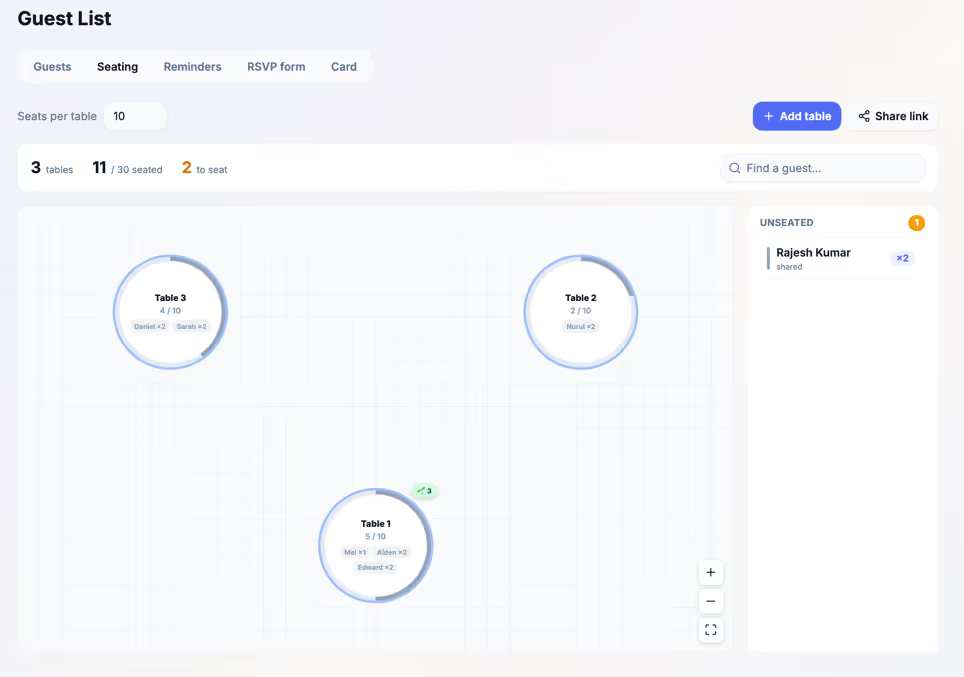 The seating planner on one of our wedding sites, with demo guests.
You can share a view-only seating link where guests search for their name, and download the list as a CSV grouped by table for the restaurant. With the Invitation Card add-on, every guest also gets their own card showing their table, and your helpers can check guests in with a QR code at the door.
Planning the seating now? WhatsApp us with your date.