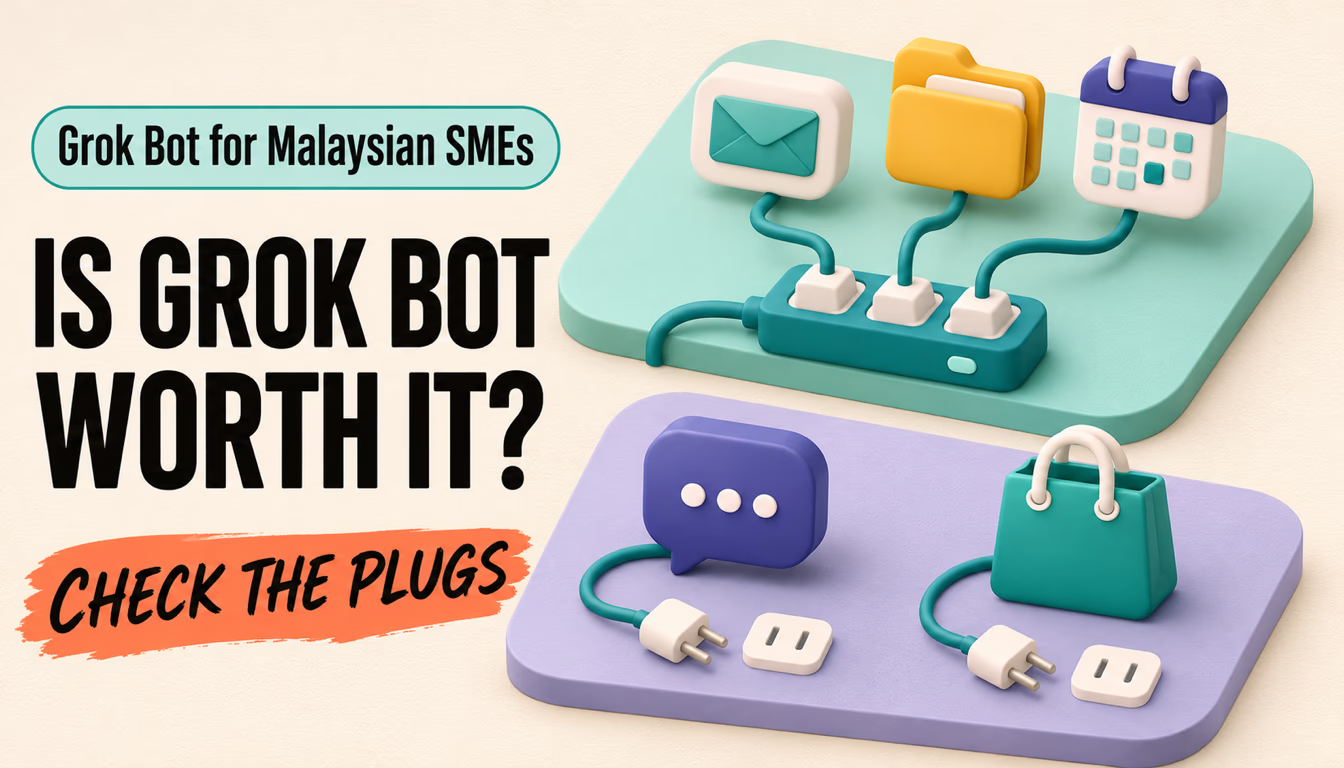
Is Grok Bot worth it for a Malaysian business? It comes down to one dull question: can it reach the apps your business runs on? At US$30 a month, Grok Bot suits offices that run on Gmail and Google Drive, and Shopify sellers. A shop that lives in WhatsApp and Shopee gets much less from it.
The idea came from Nate Herk's video 30 Everyday Ways to Use Grok Bot That Feel Like Cheating. We haven't tested Grok Bot ourselves, so everything below is what x.ai and its partners say it can do, checked on 23 November 2026.
Grok Bot pricing: what US$30 a month buys
Grok Bot is xAI's AI worker. It gets its own cloud computer, signs into your tools once, then runs jobs on a schedule. Version 1.0 left beta on 11 November 2026.
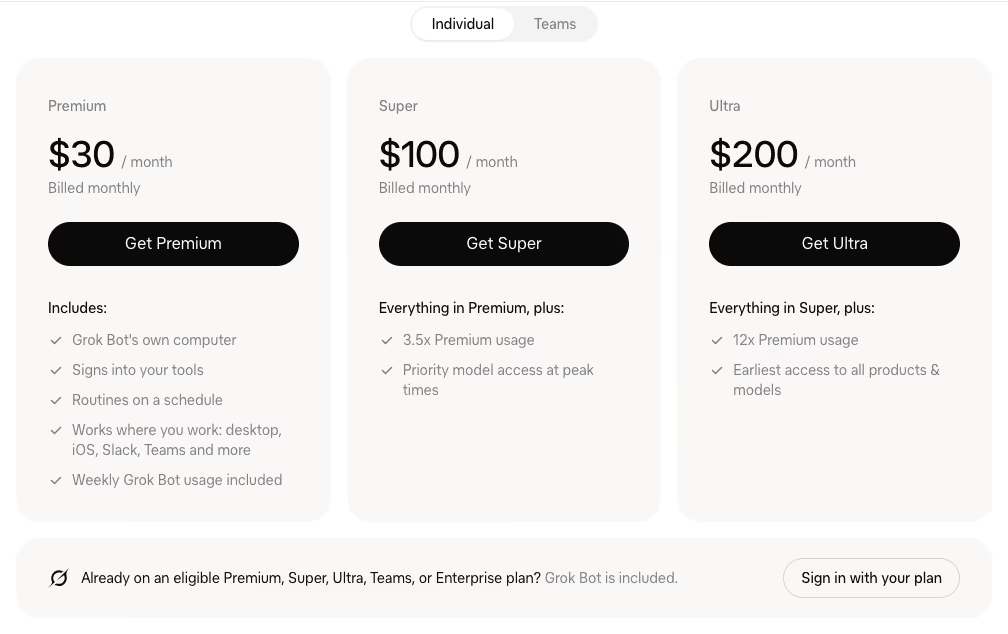 The individual plans on x.ai's Grok Bot page, captured 23 November 2026.
Premium $30 / month. Billed monthly. Includes: Grok Bot's own computer. Signs into your tools. Routines on a schedule. ... Weekly Grok Bot usage included.
Source: Grok Bot, x.ai
Super (US$100) gives 3.5 times Premium's usage and Ultra (US$200) 12 times. Extra usage is "billed based on token cost", so a busy bot can cost more. The page doesn't mention Malaysia or show a ringgit price.
What is Grok Bot useful for? Check the connectors first
A bot is only as useful as the apps it can get into. x.ai's own pages name Gmail, Google Calendar, Google Drive, Google Docs, Google Ads, Slack, Microsoft Teams, Google Meet, Zoom and GitHub. Shopify announced on X on 8 October that you can "connect to @bot to build a team of agents that help you run it." And akshaya, from Grok Bot's product team, posted on X on 19 November that it now has "official connectors for Google Ads and Google Analytics."
One X user went through 255 replies from people running businesses on Grok Bot. His summary: "Almost everyone is doing the same three things: invoicing and bookkeeping, routing email to the right person, and tracking stock or schedules."
Grok Bot use cases: 4 real jobs for a Malaysian business
1. Log invoices from Gmail
It can read the invoices that land in Gmail, log each one in a Google Drive sheet with its due date, and draft email reminders for customers who are late paying you. You read the drafts and press send.
2. Write meeting notes
It can join a Google Meet or Zoom call and write the notes and to-dos. One catch: the 1.0 announcement lists Meetings for the Team, Enterprise and Ultra plans, so check before you count on it with Premium.
3. Send a morning Shopify report
For Shopify sellers, it can send yesterday's sales and low-stock items each morning.
4. Send a weekly ads and website report
It can turn Google Ads and Google Analytics into a short weekly summary of spend, results and changes.
Is Grok Bot worth it if your business runs on WhatsApp?
Three jobs Malaysian owners often want don't fit.
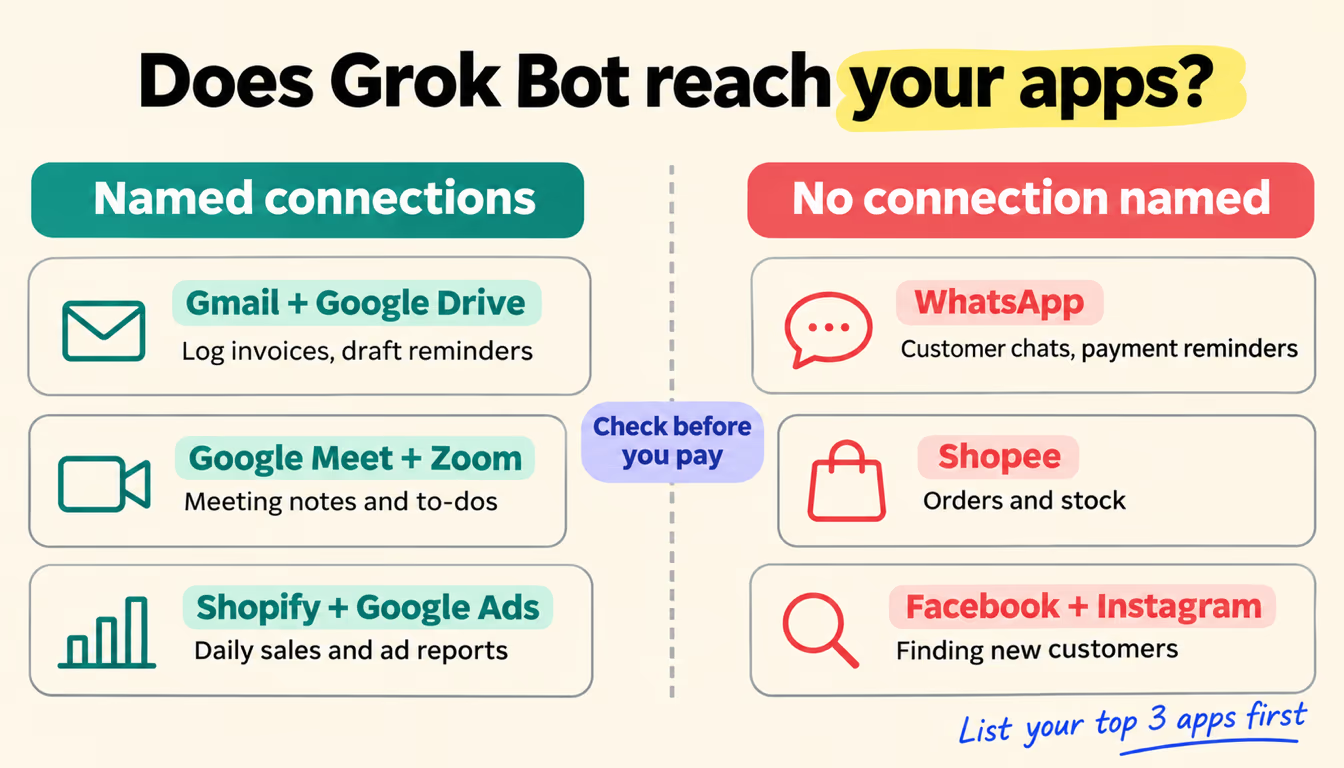 Connections named by x.ai, Shopify and the Grok Bot team. Where your business runs decides whether the bot helps.
WhatsApp payment reminders
No x.ai page names a WhatsApp connection or says it can send WhatsApp messages. Plan on the bot drafting the reminder and you copying it into WhatsApp.
Customer support
x.ai's support example, a "Ticket Triage Specialist", drafts support replies, and its homepage demo shows Zendesk, a ticket system. If your support is a WhatsApp chat on the boss's phone, there's no ticket queue to work from. Our guide to AI customer service in Malaysia covers what that job takes.
Finding new customers
x.ai's sales examples run on Salesforce and LinkedIn. Its homepage says a bot "uses your apps and websites just like you would", but no page shows one prospecting through Facebook groups, Instagram or Google Maps. None of those, nor Shopee, is a named connection.
Is it safe to use Grok Bot?
"Signs into your tools" means the bot holds your logins. x.ai says bots "ask before taking sensitive actions" in shared spaces, and many of its examples stop at a draft for you to approve. Keep it that way: let it draft, never send or pay. Any inbox bot can be tricked by a cleverly written email, as OpenAI's own agent was in a test.
Usage is the other catch. On 20 November, Larsen Cundric, who works on Grok Bot, posted on X: "Grok @bot usage burns too fast! We know, and we're on it." He named stuck loops as the top complaint.
So, is Grok Bot worth it for your business?
Our take: it's worth US$30 if two of the four jobs above match apps you use every day. A bookkeeping-heavy office on Gmail and Drive, or a Shopify seller running Google Ads, has real work to hand it. A business that runs on WhatsApp, Shopee and Facebook would pay for a worker with little to do.
Before you subscribe:
- Write down the three apps your business lives in.
- Check each one against the connector list above.
- Run one reversible job, like the invoice log, for a month before adding more.
Not sure your apps line up? WhatsApp us your three apps, or talk to us, for an honest answer.
Not financial advice. Prices are from x.ai on 23 November 2026 and may change.